Pixerbook Moments
Every photo you’re in. One selfie away.
At a wedding, eight hundred guests each want maybe twenty photos out of five thousand — and the studio spends a week answering “can you send me mine?” on WhatsApp. Moments turns that into a QR code on the table. A guest takes one selfie, and their photos are on their phone before the reception ends.
What it does
Every photo you’re in, one selfie away.
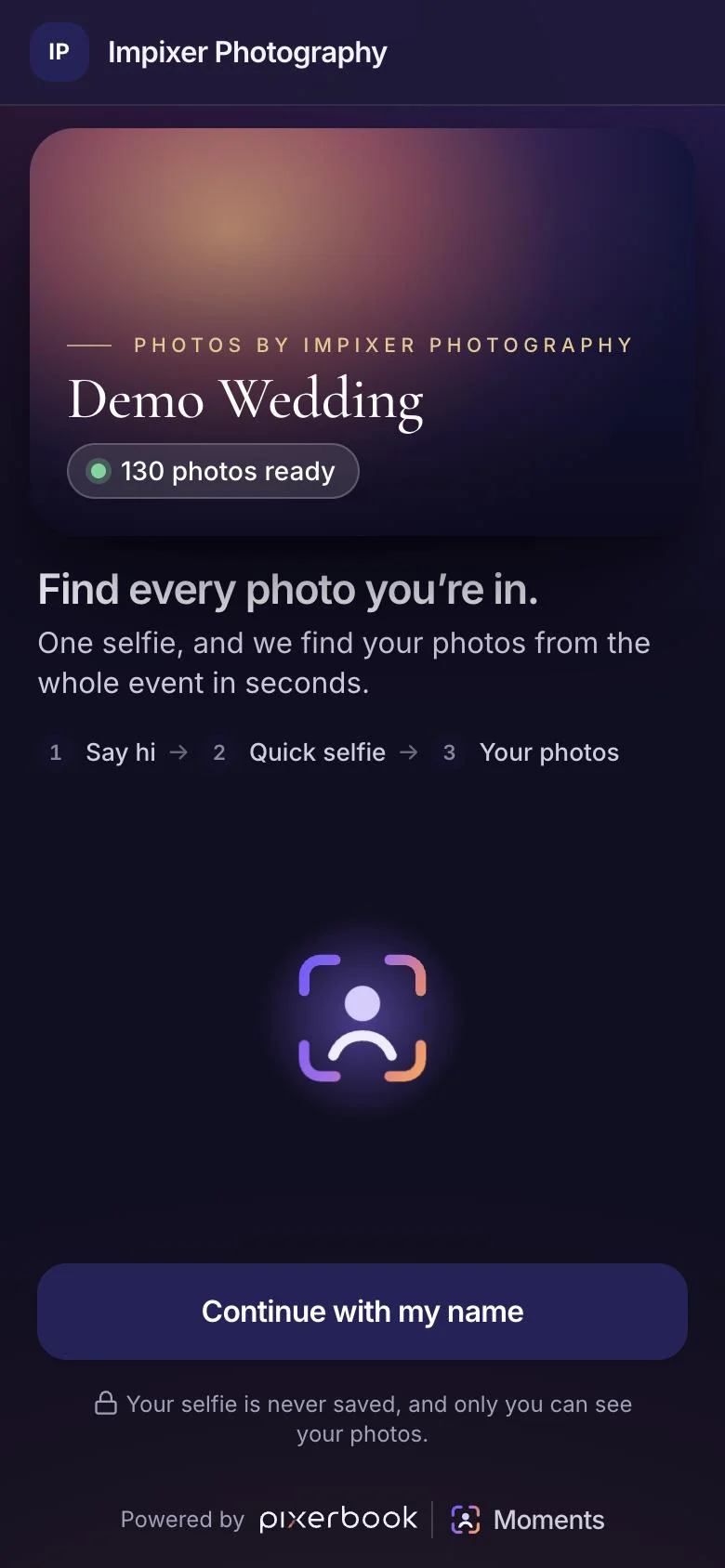
Guests open a link, take one selfie, and get every photo from the event that they appear in — while the event is still going. Photos flow from the camera to the gallery on their own.
01
One selfie, every photo
The guest opens the event link from a QR code, says hi, and takes a single selfie. A small face detector on their own phone coaches them — closer, centred, facing the camera, lit, still — and takes the photo itself once all of that holds, so the one selfie that matters is a usable one.
- Opens from a QR code or a link — nothing to install
- Live on-phone coaching until the selfie is good enough
- A blurred or badly lit selfie is rejected with advice, not silently used
- Add to home screen as an app, if the guest wants to come back
02
Exact matching, tuned so strangers stay out
Every face in the event is compared exactly — no approximate index — so a 5,000-photo wedding is searched in milliseconds. The match threshold was calibrated on real studio photos to keep expected false matches under one per gallery: a missed photo is a mild disappointment, a stranger’s photo in your gallery is not.
- Group shots count — any face in the photo can match
- Calibrated threshold, adjustable per event
- Lower it for events with many children, where face models are weaker
- A second search with the guest’s own best matches finds more of them
03
“Might be you” — the close calls go to the guest
Photos that clear the threshold go straight into the gallery. Ones just below it are shown one at a time under “Might be you”, for the guest to confirm — and cannot be downloaded until they do. “That’s me” teaches the search; “Not me” hides that photo, and anyone who looks more like that stranger, for good.
- Two tiers: confident matches and close calls
- Close calls need a tap before they can be saved
- “That’s me” and “Not me” refine the results as the guest goes
- Parents can add a child and find their photos from their own phone
04
Camera to gallery, on its own
Sync Station watches the folder your camera or tethering software writes to. New photos are uploaded, indexed and searchable within moments, and guests who scanned earlier see them on their next visit without taking another selfie.
- Point it at a folder, including tethered capture subfolders
- Waits for each file to finish writing before it uploads
- Duplicates caught by content, not by filename
- Uploaded and indexed counters, so you know when a guest search is complete
05
Private by design — and plain about it
The guest’s selfie is processed in memory and never written to disk. The face data from it is kept, scoped to that one event, so later photos still reach the guest — and the landing page says so, rather than claiming nothing is stored. Originals are only ever served to a guest who matched them.
- Selfies are never saved as files
- Face data kept per event only, and said so on the page
- A guest can only download photos they are matched in
- Guest contacts — with their own consent choice — exportable to CSV
Web app
Runs in a browser. Nothing to install.
Your client opens a link on the phone they already have. No app, no account, no password — which matters, because the friction you add here is friction on your own deadline.
- Chrome, Safari, Edge and Firefox
- Phone, tablet and desktop
- Your subdomain or your own domain
- Updates arrive without you doing anything
Pricing
Moments, on its own.
One subscription for this product only. Nothing here is a bundle, and you are never charged for a product you have not asked for.
For a studio running a few big events a month.
Up to 4 live events
- Unlimited guests and searches per event
- Sync Station for camera-to-gallery upload
- Your studio’s name, logo and colours on every page
- QR codes and share links for each event
- Guest contact export to CSV
For high-volume studios and event companies.
Unlimited live events
- Everything in Studio
- Unlimited simultaneous events
- Your own domain for guest pages
- Per-event match threshold tuning support
- Priority support with a named contact
Prices exclude GST/VAT, applied per your billing address. Monthly plans can be cancelled at any time. Ask about multi-branch studios.
Questions
Before you ask.
Do guests need to install an app or create an account?
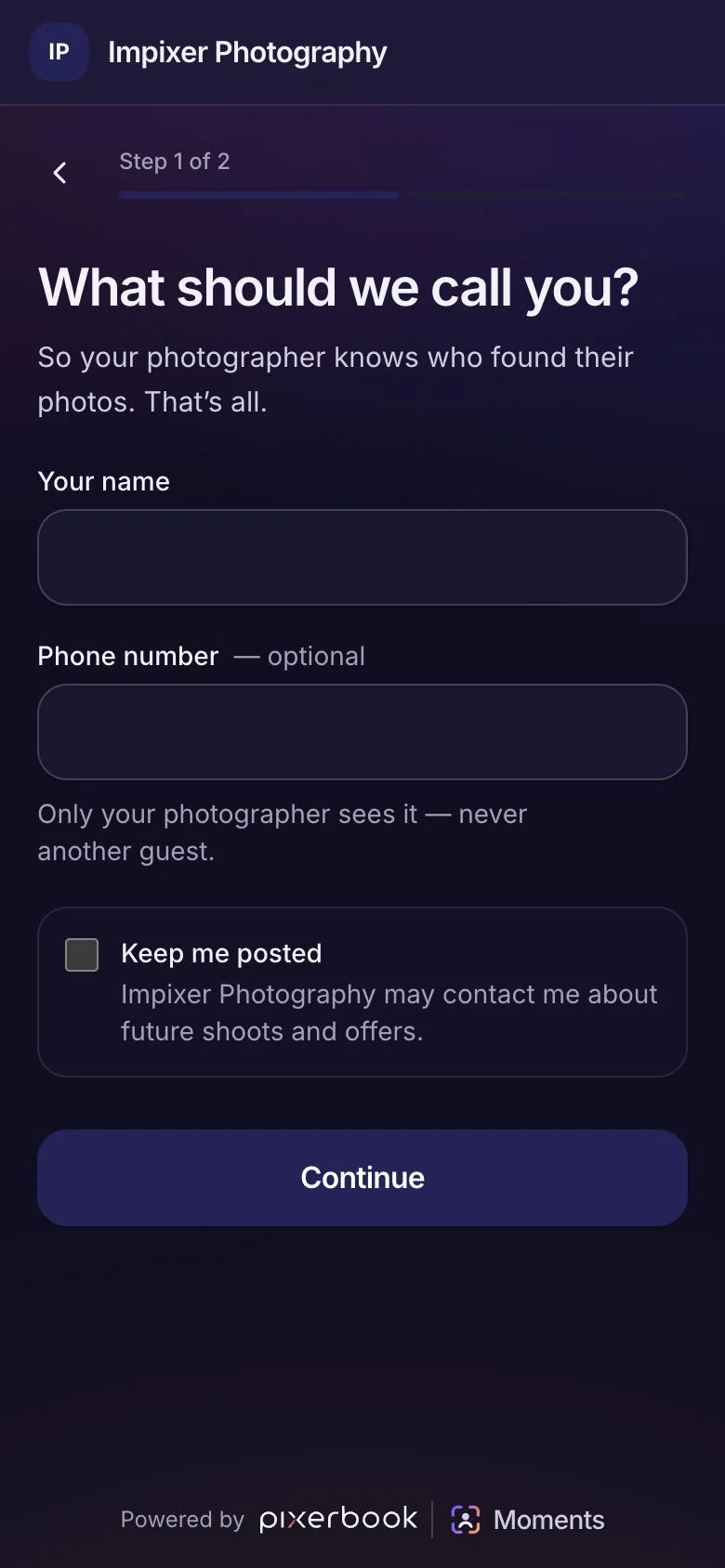
No. They scan a QR code or open a link, type their name, and take one selfie in the browser. They can add it to their home screen if they want to come back, but nothing is required.
Is the selfie stored?
The selfie image is never written to disk — it is processed in memory and discarded. The face data made from it is kept, scoped to that one event only, so photos synced after the guest scanned still reach them. We say that plainly on the guest page rather than claiming nothing is kept.
Can a guest see other people’s photos?
No. A guest can only open and download photos they are matched in. Originals are served through a check that the guest’s session matched that photo, so photo links cannot be guessed or walked.
What happens with photos that are a close call?
They go under “Might be you”, one at a time, for the guest to confirm, and cannot be downloaded until confirmed. The threshold is set so that a wrong photo landing directly in someone’s gallery is rare — under one expected per event.
What do I need to run Sync Station?
Chrome or Edge on a desktop or laptop at the venue, pointed at the folder your camera or tethering software saves to. It uses a browser feature Safari and Firefox do not have yet.
It says Beta. Can I use it at a real event?
Yes — it already runs real events. Beta means the feature set is still moving and you should expect the studio side to change. Book a walkthrough and we will run your first event with you.
Works with
Separate subscriptions.
One client record.
Moments is complete on its own. If you do add another product, they share the same client and event — so nothing is ever typed twice. You still buy them separately, and you can stop one without touching the other.
Request a demo
See it on your
own work.
Thirty minutes over Zoom, Meet or Teams — your choice. Send us one past event beforehand and we will set the demo up with your own photographs instead of a sample dataset.